 LivePin
1
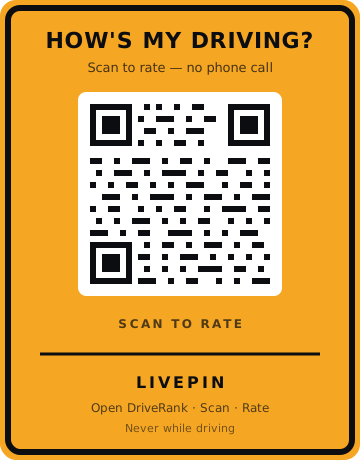
Sticker on the vehicle
Each LivePin QR belongs to one unit — a truck, van, or car in your fleet.
Commercial QR program
LivePin brings the classic How's My Driving sticker to fleets. Each vehicle carries a unique QR code; the public scans it once to rate that driver in the Drive app — no 1-800 number, no phone tree.
How it works
The concept is the familiar bumper sticker — the public already knows the question. LivePin replaces the phone number with a QR code that opens Drive for that specific vehicle only.
Each LivePin QR belongs to one unit — a truck, van, or car in your fleet.
They use their phone camera or the Drive scanner. Only when parked or as a passenger.
Stars, tags, and an optional comment. Honest feedback after a real encounter.
Ratings land on that vehicle’s Drive profile — not a public people-search.
Who it’s for
Give every van its own scan target so customers can rate the delivery they just received.
Show neighbors and job sites that your crews hold themselves accountable for how they drive.
A visible “rate this trip” mark, independent of any platform review screen.
A simple channel for the public to report how official vehicles are driven.
Privacy
livepin.app and livepin.online do not let anyone search a license plate to track a driver. A LivePin rating starts from that vehicle’s QR, after a real encounter. We do not publish a public people directory on this site.
Drive, the mobile app, is for ratings after you meet a vehicle on the road — not for following someone. See the LivePin privacy note.
QR kits and branded stickers are available now; a fleet dashboard is coming soon.